We provide reliable Google Business Profile optimisation services and a results-driven Google My Business optimisation service to help businesses grow locally. For businesses, reaching the right audience fast matters, and a well-managed Google business profile makes that possible. With strong local intent, My Google Profile Business helps connect you directly with nearby customers.
Our experienced GMB expert in India team handles everything, from how to create a Google My Business account and complete Google Business Profile setup to full GMB Management Services in India. Instead of wasting hours searching for "how-to-do", you can get live assistance at google my business customer care number within a few minutes. Our team handles the heavy lifting for you. We take care of Google my business verification, Google Business Profile verification, Google My Business bulk verification, and provide easy access to your Google Business Profile manager login and dashboard.
By optimizing your Google Business Profile, managing Google Business Profile updates or name changes, and setting up your Google Business Profile ID, we keep your presence accurate and built for long-term growth.
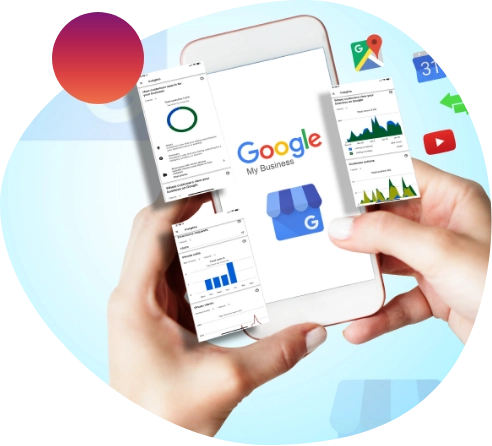
Google Business Profile Management Services from our experienced GMB experts optimizes every aspect of your listing with strategies that deliver measurable results. They are designed to improve your local visibility, strengthen your Google Maps presence, and generate more qualified leads. If you're looking for a trusted GMB expert in India, browse our portfolio to see the success we've achieved for businesses across industries.
From managing customer reviews and optimizing posts to keeping your profile fully optimized, our team handles every aspect of your Google Business Profile with a results-driven approach that supports long-term local growth.
Even if your Google Business Profile is suspended, we restore your listing while preserving your reviews, rankings, and business credibility. Choose our GMB services to stay visible, competitive, and ahead of your local competition.
Search GMB services on Google; Advology Solution consistently appears among top results, reflecting strong feedback and performance.
Local SEO matters. We prioritize it to help you generate quality leads and grow your business within your local market.
Looking to claim my business on Google? Our Google My Business agency uses a GMB ranking service to drive you steady growth in local search visibility.
We offer comprehensive solutions to enhance your local business listing in India, helping you attract customers, improve visibility, and drive growth. To learn more, contact us at Google my business support phone number 24/7.
Local searches make up a large share of daily queries, making Google My Business Listing services and GMB ranking service essential for visibility.
Our GMB listing service and Google My Business optimisation service focus on keyword optimization, profile updates, and high-intent searches like “near me” to improve rankings.
We ensure your Google Business Profile is fully optimized so your business appears in relevant local results and attracts more customers effectively. Accurate Google Business Profile optimisation is at the core of this, as it directly influences how your business ranks in the Local Pack and how well your GMB ranking service performs over time. Whether it's navigating complex dashboard issues or managing the Google business profile appeals tool to resolve sudden suspensions, we handle the technical hurdles. This approach helps improve map visibility, increase calls, and drive more qualified local traffic.
With Google My Business listing services, we optimize your Google Business Profile by updating details, adding accurate descriptions, and managing Google My Business Profile login and dashboard access.
We also assist with how to add a phone number in Google Business Profile, verify my business on Google, how to add WhatsApp to Google Business Profile, and essential profile updates. If your listing ever faces policy issues, we can even guide you on managing the Google business profile appeals tool to get your business back online. Our team helps you set up a direct WhatsApp link for Google my business to ensure seamless communication, while improving credibility through reviews, posts, and content optimization. We also guide on how to add keywords in Google My Business for better ranking and visibility.
We also ensure regular updates and engagement strategies to maintain strong customer trust and higher conversion rates. From building positive engagement to guiding you on how to remove bad reviews from Google My Business profile when dealing with policy-violating or fake feedback, we help protect your reputation. This results in improved brand authority and consistent local search performance.

Travel

Healthcare

Education

Real Estate

Matrimony

Associations

Chemical

Food

Telecom/Tech

B2B

Financial

Non Profit
Our strategy for Google Business Profile setup focuses on accuracy, and strong local visibility.

To gain visibility in local searches, a GMB profile is essential. Whether you need to create a Google account for my business from scratch or want a clear walk-through on how to make Google Business Profile, we handle the full setup, ensuring accuracy and strong local discoverability.

Creating a profile is only one step in Local SEO. Business details constantly change, and knowing how to edit a business profile on Google correctly is crucial to avoiding ranking drops. Regular posting on Google Business Profile about products, services, contact information, location, and videos helps improve engagement and keeps your audience informed.

Reviews are a key part of GMB Management Services, 90% of customers check them before purchase. Responding builds trust and wins customers. Poor management risks GMB suspension, and we keep your profile compliant and protected.

Always post and respond regularly. Add your website and social handles. Our experts help you on how to edit Google Business Profile, from updating business hours and categories to adding new photos and service descriptions, and ensure your information stays updated for better visibility.
Labels are a section or an attribute of the Google My Business profile through which you can easily provide additional information or important details related to your business or the products. Another function that it helps a business with is that it enables you to disable ad marketing campaigns for your locations.
A store code in Google My Business (GMB) is a unique identifier for the location of your business. It can be any consistent name, number, or label you choose. It is not visible to the public and only to you in your GMB account. It helps in the identification of your store, especially for managing inventory and local ads.
To optimize your GMB profile, provide complete and accurate business details, verify your address on Google Maps, and engage actively with customers by responding to queries and addressing negative feedback. Add your social media links and website, choose the most relevant business category, and consider working with a digital marketing agency like Advology Solution to effectively use keywords and improve rankings.
First, open your GMB profile, go to "Business Information", there navigate "Contact," then select "Social Profiles." Add your social media links and click on "Save."
Google My Business optimizes your profile based on customer search queries and the information you provide. It uses relevant keywords and prioritizes content to match user intent. Like a content management system, GMB helps expand your business reach through SEO and keyword targeting. To succeed, include accurate details and integrate keywords for better visibility and profile performance.
If your account is suspended due to guideline violations, you can submit an appeal by filling out the evidence form. You may need to provide documents such as your registration papers, business license, tax certificate, and proof of physical address (e.g., utility bills). You can also use the Google Business profile appeals tool to resolve the issue.
You can add your Google My Business to multiple locations. However, you need to have a working unit at that location, only after which you can verify the physical address and add that location in your GMB profile. This can be really helpful for your business as chances are likely for your business to be found in different locations. For bulk listings, Google My Business bulk verification can be useful.
Physical address verification can be a major issue based on which your profile has been removed from the Google Maps. Make sure you verify the address either through postal, phone number or other means to get your business verified. Another reason is that you might have violated any policy or terms and conditions related to the GMB. Also, it is recommended for the user to work on their local SEO so that it can be easy for the business to list on their locality.
It doesn’t take much time to rank among the local searches. If someone works properly on their local SEO measures, then it hardly takes around 2-3 months. And this much time is sufficient for the businesses to rank on Google Maps and also on Google Local search for a particular area.
All you need to have a physical address that can be verified by the Google. Based on which you can easily set your Google My Business profile. Many well established businesses are doing well even without a website through the help of Google My Business and social media presence. GMB profile is really effective for businesses in getting offline customers.
To delete a Google Business profile, you need to log in to your Google Business profile manager login, select the business, and remove it from your account or mark it as permanently closed.
You can find Google Business profile ID by accessing your profile through the dashboard or using Google support tools. This ID is useful for advanced management and integrations.
To create a Google Business Profile, you need to sign in to Google with your account, enter your business name, category, location, and contact details. Once submitted, you’ll need to verify your business. If you're unsure how to create a Google Business Profile, our experts can handle the complete setup for you.
If you want to know how to delete photos from Google My Business, simply log in to your profile, go to the photos section, select the image that you want to remove, and delete it. Managing images regularly helps maintain a professional business appearance.
Your Google Business Profile URL is the direct link to your business listing on Google. You can find it by searching your business name on Google or accessing it through your dashboard. Sharing your Google My Business profile URL helps customers reach you quickly.
There is no direct Google My Business support phone number 24/7, but you can access support through your dashboard, help center, or request a callback. Our team can also help you in resolving any issues quickly.
Interested in working together? Ok, don't be shy. Just fill out the form below. Don't like forms? That's ok, just email us.

AIHP HORIZON
445, Ground Floor, Udyog Vihar Phase V,
Sector 19, Gurugram, Haryana - 122008 (INDIA)