Google Business Profile Optimisation - How To Edit GMB

Google My Business Profile Optimization

Want more local customers finding your business online? Google My Business profile optimization can make a huge difference. Your profile is often the first thing potential customers see when they search for your products or services. A well-optimised profile helps you appear in local search results, build trust, and turn searches into real enquiries. From accurate business information and engaging photos to reviews and regular updates, every detail matters.

In this guide, we'll explore simple, practical ways to optimise your Google Business Profile and improve your local visibility.

Be where your customers are searching, and make your Google Business Profile impossible to ignore with the expert GMB services!

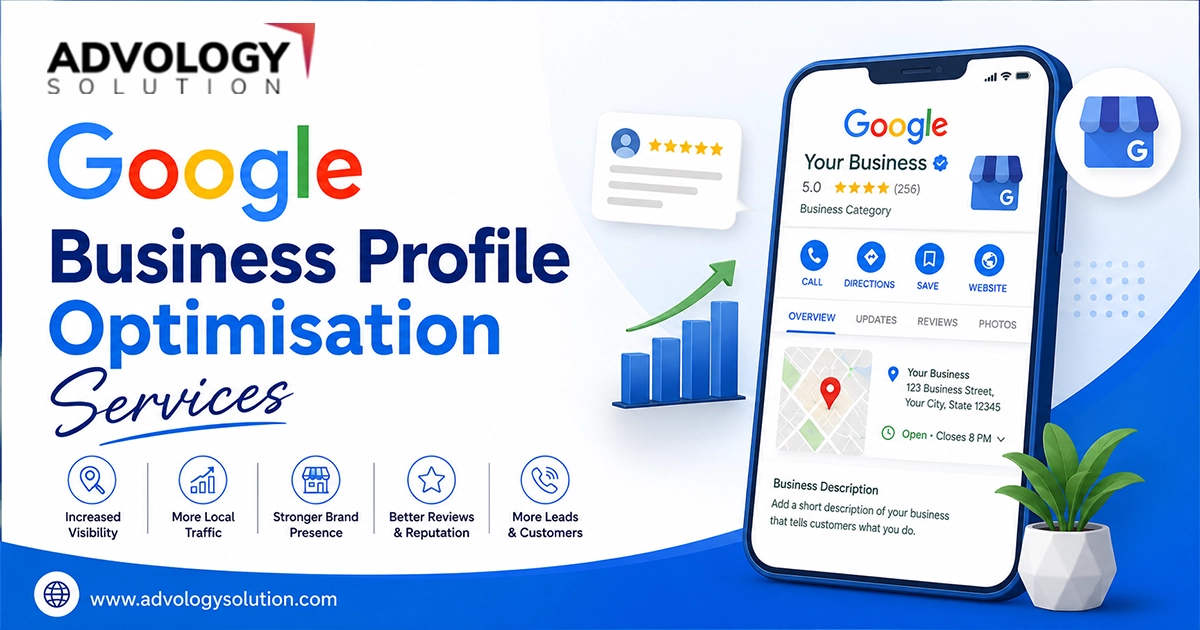
What Is Google Business Profile Optimisation?

Google Business Profile optimisation is the process of enhancing your business profile on Google so when it appears, it appears more prominently in local search results and attracts more and more potential customers. It involves keeping your business name, address, phone number, website, hours, services, photos, and other details accurate and up to date.

A well-optimised profile also focuses on customer reviews, regular posts, relevant business categories, and engaging information. The goal is simple, it is to help your business get discovered by the right local customers, build trust, and turn searches into calls, visits, and enquiries.

Effective Google Business Profile Optimisation typically includes:

  • Providing accurate business information.
  • Adding your respective business services or products.
  • Keeping your business/working hours updated.
  • Collecting and responding to your customers' reviews/feedbacks.
  • Uploading high-quality photos and videos of your business.
  • Choosing the relevant and correct categories (primary and secondary).
  • Wring a keyword-optimized description.

How To Edit A Business Profile On Google?

One of the most important parts of managing your profile is correctly maintaining your Google business profile. You can generally manage your business information directly through Google Maps or Google Search. However, to do so, you must be an authorized manager or owner of the profile:

Step 1 - Login To Your Google Account

  1. First of all, sign in to your Google account that is registered for your business profile.
  2. While logging in your account, continue searching for your business name on Google.
  3. If Google recognizes that you manage the profile, you will see options for managing or editing the profile.

Step 2 - Choose Edit Your Information Option

  1. You will get a relevant option to edit the information. Review and make necessary changes to the information, which is displayed on your business profile.
  2. Here, you can update the details, such as:
    • Business name
    • Business category
    • Opening hours
    • Address or service area
    • Phone number
    • Website
    • Business description
  3. Once you edit and update these details, ensure reviewing these changes before the final save. The information must be accurate and consistent with your real-world business.

Steps For Google Business Profile Updates Name Change

If your business has changed its name due to expansion, rebranding, or any other legal reason, you need to update the respective name on your Google Business Profile as well. For this, make sure you consider the following changes:

  • Firstly, you need to sign in to the Google account that solely manages your Business Profile.
  • Next, open your Business Profile and choose the option to edit your business information.
  • Continue to update your business name so it matches your real-world business name.
  • Avoid adding extra keywords to the name just to improve local SEO.
  • Make sure the new name is consistent with your website and other online business listings.
  • Submit the change and allow Google to review it if required.
  • Finally, check your profile after the update to make sure the correct name is displayed.

How To Add WhatsApp To Google Business Profile?

Adding WhatsApp to your Google Business Profile can give your customers another convenient way to contact your business. If the WhatsApp option is available for your business profile and region, you need to perform these steps:

Note - WhatsApp link for Google my business profile can vary by country, account, and Google's latest feature availability.

  • Put your credentials in to sign in to your Google account that manages your business profile.
  • Now, open your Google Business Profile on Google Search or Google Maps, and continue to select the Edit option.
  • Next, look for the Contact or messaging options. If WhatsApp is available, choose the option to add or connect it.
  • Here, click Add WhatsApp or Connect WhatsApp. Now, enter your business WhatsApp number.
  • After this, follow the respective Google's instructions to connect your WhatsApp account.
  • Once done, complete the necessary GMB verification process that is requested by Google.
  • Now, save the changes and check your public profile to confirm that the WhatsApp contact option is visible.
  • Continue to test the WhatsApp link to ensure that your customers are directed to your correct business account.

Best Google My Business Profile Optimisation Tips For Local Businesses

A properly optimized Google Business Profile can help your local business provide accurate information to potential customers. It also improves your business's presence in local search. However, you need to consider a few things to make the best advantages of Google my business profile optimisation:

  • Complete Your Business Profile

Make sure you add all the essential information such as your business name, address, phone number, website, opening hours, services, and business category.

  • Choose The Right Business Category

Select the most relevant primary category for your business and add suitable secondary categories where applicable. This helps accurately describe what your business offers.

  • Keep Business Information Accurate

Regularly check your contact details, address, opening hours, and website. Update holiday or temporary hours whenever necessary.

  • Add High-Quality Photos

Upload genuine, clear photos of your business premises, products, services, team, or completed projects. Fresh visual content can make your profile more appealing to potential customers.

  • Update Your Services And Products

Make sure the products and services listed on your profile reflect what you currently offer. Remove outdated offerings and add new ones when appropriate.

  • Get Genuine Customer Reviews

Encourage real customers to share honest feedback about their experience. Respond to reviews professionally, including negative ones, to demonstrate that you value customer feedback.

  • Publish Regular Updates

Use Google Business Profile updates to share new services, offers, events, announcements, or other useful information that may interest potential customers.

  • Add Convenient Contact Options

Where available, provide relevant ways for customers to contact your business, such as your phone number, website, or WhatsApp.

  • Maintain Consistent Business Information

Keep your business name, address, phone number, and other key details updated and with respect to the real-time across your website and relevant online platforms.

  • Monitor Your Profile Regularly

Google Business Profile optimisation is an ongoing process. You need to regularly review your profile to identify outdated information, respond to reviews, add fresh content, and make necessary changes.

What Factors Affect Google Business Profile Visibility?

You need to understand all the factors that can impact your Google Business Profile visibility. It can help you build a stronger local presence and make it easier for potential customers to make a direct contact to your business.

Remember, Google considers several factors when determining which local business is most relevant to a specific search. There is no single Google my business profile optimization technique that guarantees higher rankings. Only focusing on relevance, distance, and prominence can help you create a more useful and trustworthy profile.

Now, let's have a brief discussion on all the ranking factors that determines your Google business profile visibility:

Relevance

Your business profile should accurately reflect the products or services you offer. Put your business in the right primary category, add relevant services, and provide clear business information when managing the Google business profile. It can help Google understand how your business relates to a customer's search.

Distance

The location of your business can impact whether it appears for local searches. Google considers how close a business is to the person who is searching for the specific service or products. Also, how near the distance is to the location included in the particular search query.

Prominence

Prominence refers to how well-known or established a business is. Factors such as customer reviews, online mentions, links from other websites, and the overall online presence of a business that can contribute to its prominence.

Why Is Google Business Profile Optimisation Important?

Google Business Profile optimisation is an essential aspect of local SEO as it helps businesses provide accurate, relevant, and useful information to target customers who are looking for products or services on Google. Your Business Profile is one of the first factors that connects your business with a potential customer, specifically when they are looking for a local provider.

A complete and well-maintained profile does more than simply display your business name and contact details. It gives customers important information they may need before deciding to call, visit your location, request a service, or make an inquiry.

Here are some key reasons why Google Business Profile optimisation is important:

  • Improves Local Visibility

A properly maintained profile can help your business appear when people search for relevant local products or services. Accurate categories, services, location information, and other profile details help Google understand what your business offers and who it may be relevant to.

  • Helps Customers Find Information Quickly

Customers can use your profile to check your opening hours, address, phone number, website, services, photos, and other important information. Providing these details in one place makes the customer journey more convenient.

  • Builds Trust And Credibility

An optimized and completed business profile with honest customer reviews, latest photos, updated information, correct business hours and professional responses can create a stronger first impression that your customers have about your company. Customers are more likely to feel confident when a business provides clear and up-to-date information.

  • Supports Customer Engagement

Your Business Profile can give customers different ways to interact with your business, such as visiting your website, calling your phone number, requesting directions, or using available messaging options. Making these actions easy can help turn local searches into enquiries and visits.

  • Helps Showcase Your Products And Services

Businesses can use their profile to provide information about relevant products, services, and offerings. This allows potential customers to understand what you provide before they contact you.

  • Makes Your Business Stand On The Top

When several businesses offer similar products or services, a complete profile with quality photos, genuine reviews, useful information, and regularly maintained details can create a stronger impression than an incomplete or outdated profile.

  • Keeps Customers Informed

Business information can change over time. Opening hours, services, contact details, and other information should be updated whenever there is a change. Keeping your profile current helps prevent customers from relying on outdated information.

  • Strengthens Your Overall Local SEO Strategy

Google Business Profile optimisation works along with other necessary local SEO activities, such as maintaining your website, building relevant online mentions, earning genuine reviews, and keeping business information consistent across important platforms.

If you aim for a strong local online presence and greater customer visibility, optimizing your Google Business Profile is important. By keeping your business information accurate, choosing the right categories, uploading quality photos, managing reviews, and sharing relevant updates, you can create a more useful profile for potential customers. Always focus on providing accurate, relevant information and keeping your profile updated to support long-term local visibility and engagement. Hopefully, the above information has helped you. To learn more, you can contact GMB experts and get quick assistance.